Railway Adds Environment and Service-Level Authentication for Enterprise Teams
- Gate
- AI & ML
- Departs
- Crew
- Thomas Miller
- Passengers
- 509
Railway’s identity-aware proxy can protect staging environments and individual services, with access limited to authenticated team members.
Railway’s new authentication controls put a login gate in front of hosted services, giving enterprise teams a way to restrict access to staging sites and internal tools without adding sign-in logic to each app. The controls work at both the environment and service level, so teams can set a broad default and make individual services stricter when needed.
Railway Authentication is an identity-aware proxy for services hosted on Railway. When enabled, visitors must log in with Railway credentials, and only confirmed members of the development team can view the protected page. Railway says the feature is available to enterprise users on committed spend tiers, which already include features such as enterprise access, SSO, RBAC, audit logs, and higher resource limits.
The practical change is where authentication can be applied. Teams can protect an entire environment, including environments forked from it, or set the gate on a particular service. That makes the feature useful for staging previews, internal tools, and self-hosted apps that shouldn’t be reachable by anyone with a public URL.
Set a default for an environment
Railway’s example uses its Docs project. A team lead can open the project’s environment settings and make Railway Authentication default to On for the staging environment. Services in that environment then inherit the setting, reducing the chance that a newly added staging endpoint is left open by mistake.
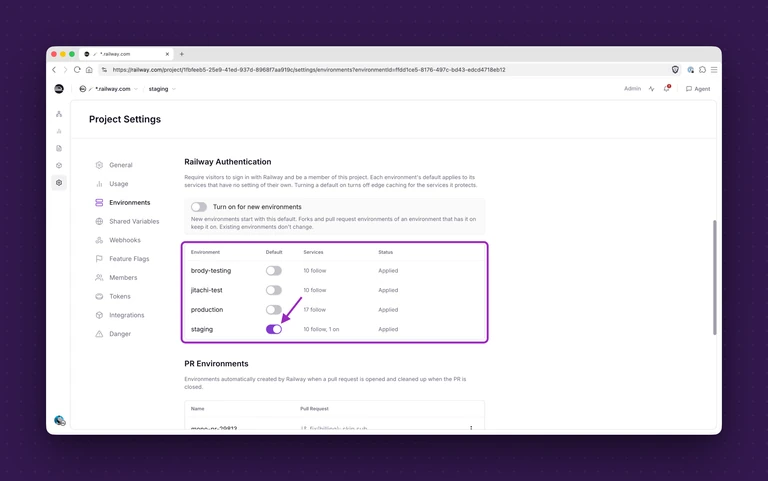
Forked environments inherit the default from staging, according to Railway. That provides a repeatable baseline when teams create multiple previews or working environments: access stays gated unless someone changes the setting. For teams managing many temporary environments, applying the control once at the environment level can be simpler than remembering to configure every service separately.
That’s the main operational distinction from configuring an identity provider inside each application. A team could otherwise wire an OIDC provider such as Okta into every app, or place a separate access product in front of its services. Railway’s approach puts the gate in the hosting platform, where an administrator can apply it across an environment. The source doesn’t describe the proxy’s underlying request flow, session handling, or identity configuration, so those implementation details remain open questions for teams assessing how it fits their existing access setup.
Make one service stricter
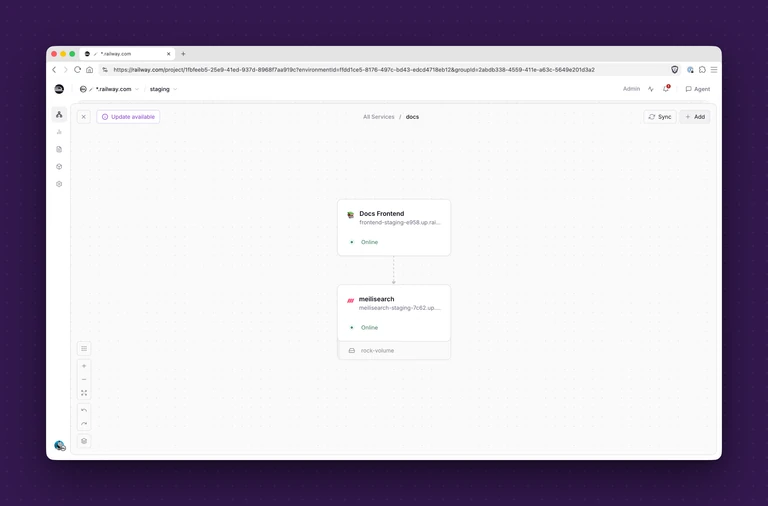
Environment defaults aren’t the only option. In the Docs project’s staging environment, the frontend and search service are separate components. The frontend has its own public staging URL, which can be protected directly from that service’s networking settings.
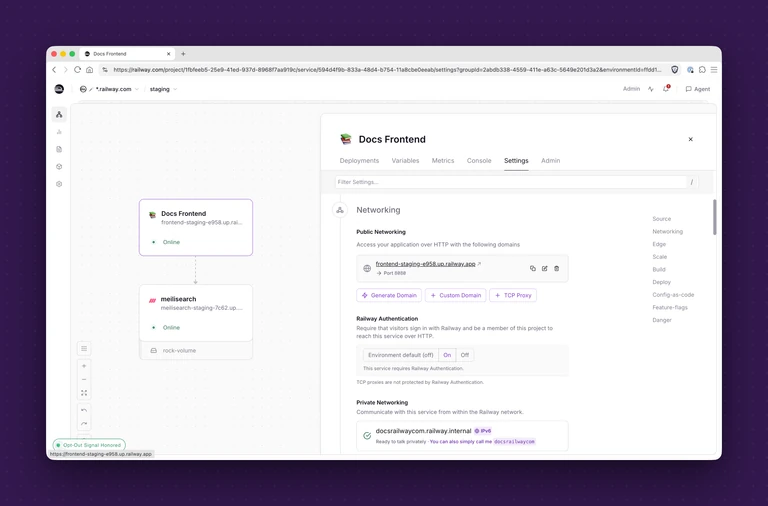
In the Docs Frontend service settings, an administrator can scroll to Networking, find the public staging URL, and switch Railway Authentication on. The service can follow the environment default, or its setting can be kept on regardless of later changes to that default. That distinction gives teams a way to protect a particularly sensitive endpoint while leaving other services governed by the environment setting.
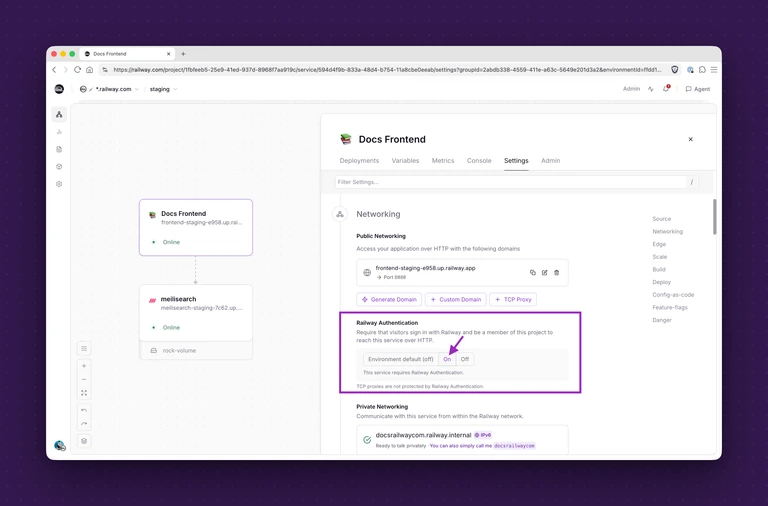
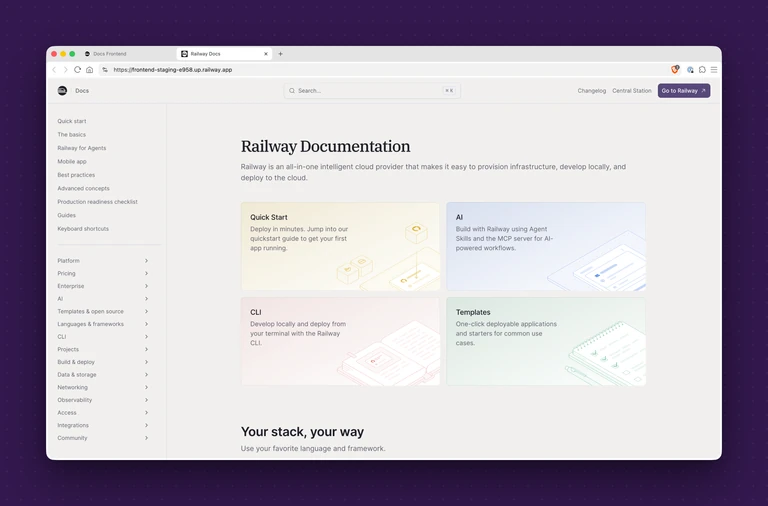
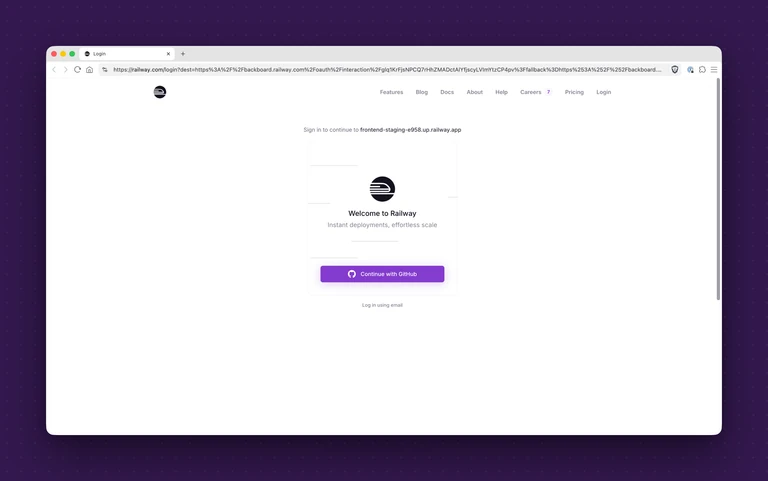
The change is visible at the URL. With the setting off, a visitor can load the staging Docs page. Once it’s enabled, the same address asks the visitor to sign in with Railway credentials. Access follows after Railway confirms that the person belongs to the development team.
Access and fit
Railway says the feature requires the $5,000-per-month committed spend tier, which teams can access through their committed spend plan in Workspace Plan settings. The company says there are no implementation limits once it’s unlocked.
For teams already hosting services on Railway, the value is in centralizing a common access-control task alongside environment and service settings. The tradeoff is that access depends on Railway team membership and the paid tier; teams should check that this model fits the people who need to review a preview, including anyone outside the development team. The next details to watch are how the feature handles external reviewers and how its access behavior works with existing authentication in an app.