Elastic Cloud Adds In-Place Customer-Managed Encryption for Existing Deployments
- Gate
- AI & ML
- Departs
- Crew
- Alex Chalkias
- Passengers
- 713
Elastic Cloud Hosted now supports BYOK on running deployments, avoiding a rebuild—but snapshot history resets and the key can’t yet be changed.

Elastic Cloud Hosted customers can now add a customer-managed encryption key to an existing deployment without rebuilding it. The change removes a migration step from BYOK adoption, but it isn’t a simple toggle: Elastic Cloud replaces instances, relocates data and starts a new snapshot history. Teams should check their recovery needs and deployment topology before starting.

The capability is generally available and requires an Enterprise subscription. Customers can configure it in the Elastic Cloud console or through an API endpoint. Previously, a customer-managed key had to be selected when creating the deployment, so organizations whose requirements changed later had to migrate to a new one, update endpoints and coordinate a cutover.

What changes during the migration
Elastic Cloud applies a plan change that replaces each deployment instance with an encrypted one. Elasticsearch shard allocation moves the data to the replacement before the original instance is removed. The deployment remains accessible during the process, and customers don’t need to schedule a separate maintenance window. The mechanism is the same plan-change approach used for other configuration updates.

That availability expectation needs context. Elastic recommends running the process on a highly available deployment with replicas across at least two availability zones. On a deployment without replicas, a shard may have only one copy while it moves. With a single availability zone, replacing the only Elasticsearch node can also mean replacing the elected master, so brief interruptions are possible. High availability isn’t enforced as a prerequisite, but the operational risk differs.

The supported key services are AWS KMS, Azure Key Vault and Google Cloud KMS. The key must belong to the same cloud provider as the deployment and be accessible in every region it uses. For Google Cloud, the key must be on a single-region key ring in the deployment’s region; multi-region key rings are rejected.

After migration, the deployment behaves like one created with BYOK from the outset. Rotations performed in the cloud provider’s key management service are picked up automatically. Revoking access remains a break-glass control: Elastic Cloud locks the deployment’s data directories within 30 minutes at most. While locked, the data remains stored but can’t be read or written. Restoring key access brings the deployment back online; if access is never restored, the data is effectively crypto-shredded.

Snapshot history is the main trade-off
The biggest planning issue is the found-snapshots repository. After the transition, it points to a new bucket encrypted with the customer’s key, and future snapshots go there. Snapshots taken before the change remain in the original bucket and are no longer available through that repository. The plan creates a fresh snapshot in the new bucket as its final step, so there’s no need to take one manually.

That automatic snapshot doesn’t preserve access to the old history through the repository. Whether the previous bucket is retained or reclaimed depends on the deployment’s data tiers, but teams with retention needs tied to earlier snapshots should resolve them before migrating. This part of the transition can’t be undone afterward.

There’s another potential blocker: an index lifecycle management policy that names found-snapshots as the snapshot repository in a cold or frozen phase. Elastic Cloud checks the policies themselves, not whether indices currently use them, so an unused policy can still prevent the migration. Run GET _ilm/policy and inspect phases.cold.actions.searchable_snapshot.snapshot_repository and the corresponding frozen-phase setting.

Starting the change
First, create a key in the appropriate cloud key management service and configure its access policy so Elastic Cloud can use it. The key setup process hasn’t changed for existing deployments. The required subscription is Enterprise; if the option isn’t available for a deployment, Elastic says to contact its support team.

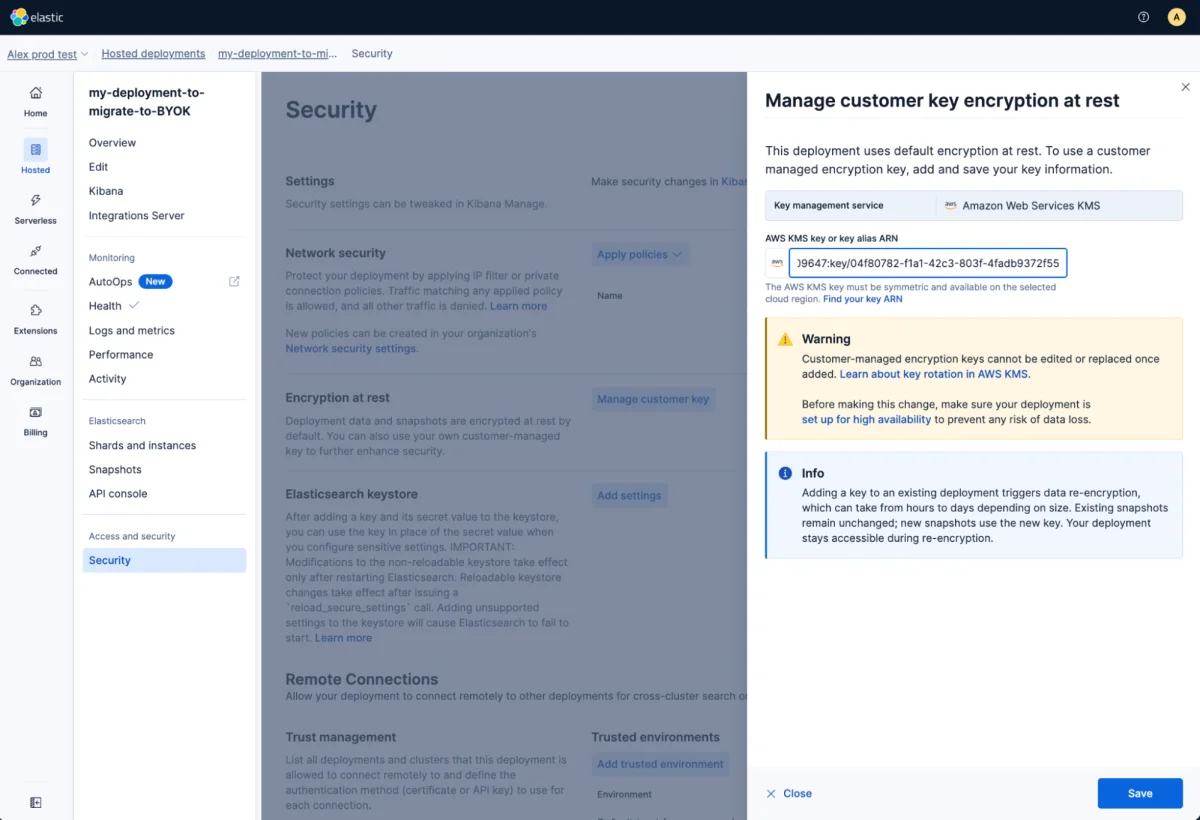
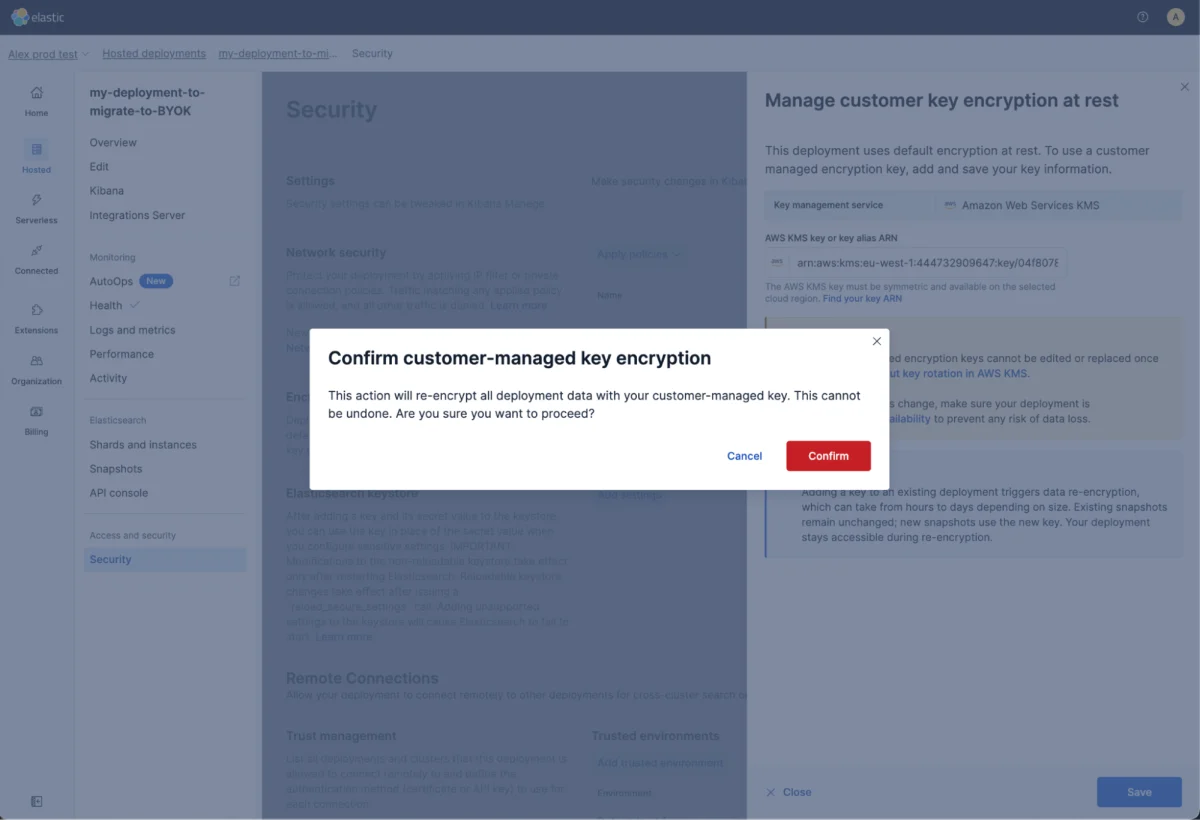
In the console, open the deployment’s Security page, then choose Manage customer key under Encryption at rest. Enter the relevant key identifier—an ARN for AWS, a key identifier for Azure, or a resource ID for Google Cloud—save the change and confirm when prompted.

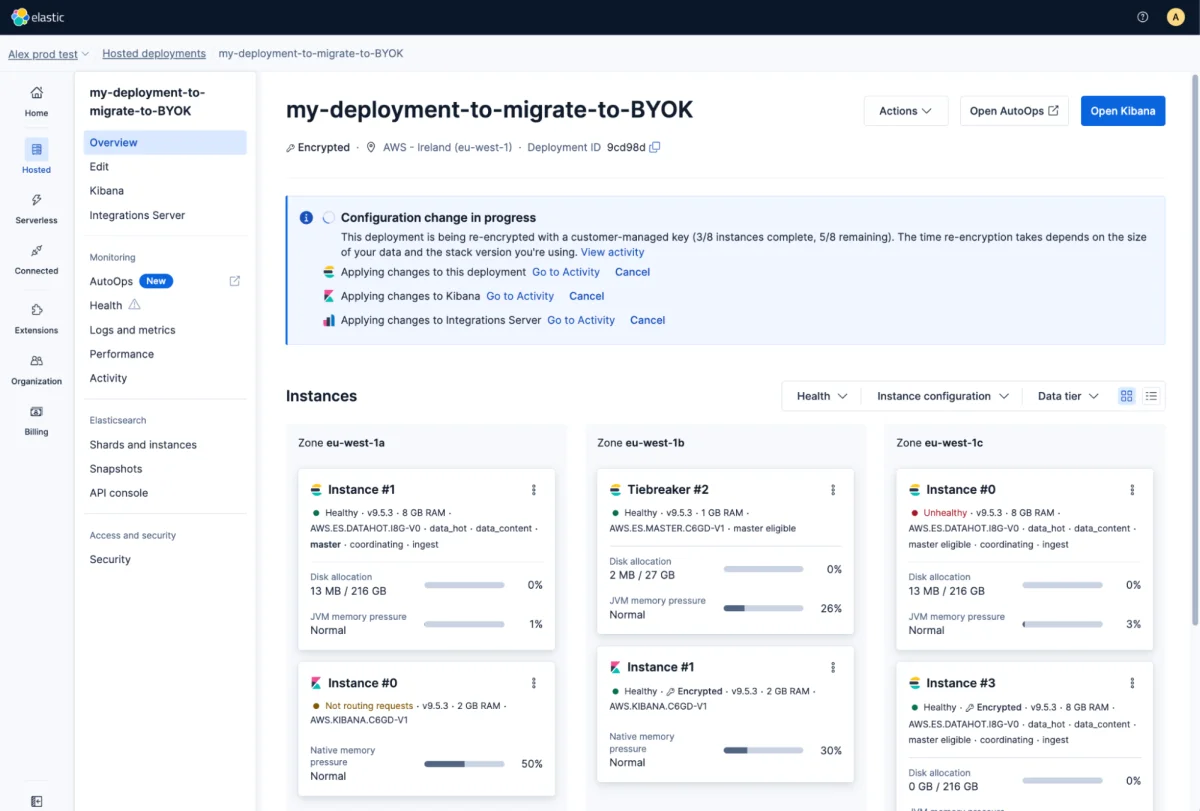
The Overview page tracks progress, including the number of instances re-encrypted. Each completed instance receives an Encrypted marker, and the progress banner links to the Activity page for plan details.
For fleet-wide rollouts, the API may be more practical. Existing deployments use POST /api/v1/deployments/{deployment_id}/byok-migration, with the key identifier in the request body. Elastic’s product documentation describes the required roles, possible errors and how to check completion.
Plan for time, cost and recovery
Elastic advises testing the procedure on a smaller deployment and checking cluster health afterward before applying it to a business-critical system. Very large deployments may take several hours or more than a day, particularly when they contain roughly more than 1 TB of data. Cloud-provider data transfer charges may apply; Elastic expects these costs to be low for Elasticsearch 8.x and later deployments.
Don’t cancel the plan change midway. A partial cancellation can leave the deployment only partly encrypted, and Elastic Support will need to help complete the process. Once the key is set, it also can’t currently be edited or removed, whether the deployment was created with BYOK or migrated later. Changing to a different key is planned for a future release; ordinary key rotation within the same KMS remains supported.
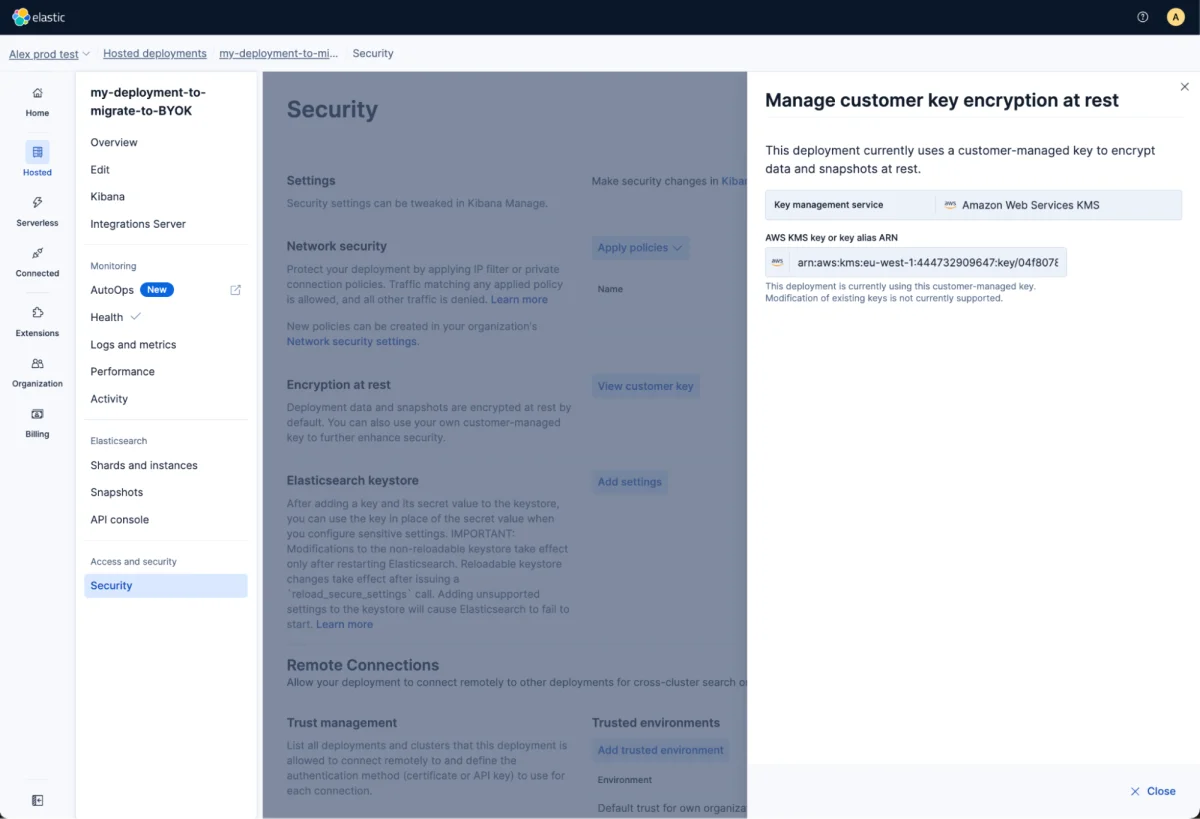
To verify the result, return to Security, open Manage customer key under Encryption at rest and confirm the identifier appears.
If the deployment becomes inaccessible because Elastic Cloud can’t reach the key, restoring the key or its access policy should restore operation. The troubleshooting documentation covers recovery steps.
The practical shift is that BYOK no longer has to be a day-one architecture decision. Existing deployments can adopt it in place, but the snapshot boundary, one-way key configuration and topology-dependent availability risks make preparation essential. For teams considering the change, the first checks are their old snapshot requirements, lifecycle policies and replica coverage.
For provider-specific key setup, Elastic’s guides cover AWS KMS, Azure Key Vault and Google Cloud KMS. Background on encryption at rest is available in this earlier overview.